
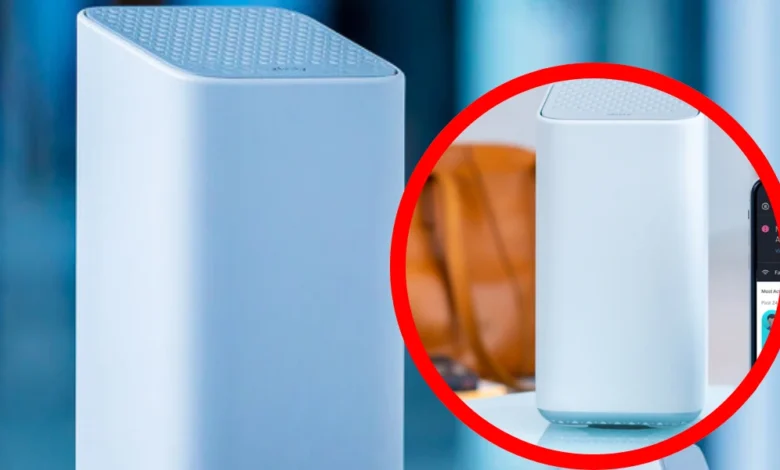
Xfinity offers several internet plans, equipment options, and WiFi services, which can make choosing the right package confusing. One service customers often ask about is xFi Complete.
So, what is xFi Complete, and is it worth paying for? It is an optional Xfinity package that traditionally combines an Xfinity Gateway, unlimited data, security features, and whole-home WiFi support. However, availability and included benefits can vary by plan and location.
What Is xFi Complete?
xFi Complete is an optional service package for eligible Xfinity Internet customers. It is not a separate internet plan or speed tier. Instead, it adds equipment and network-management benefits to an existing Xfinity Internet subscription.
The package has traditionally included an Xfinity Gateway, unlimited internet data, Advanced Security, a home WiFi assessment, and possible access to an Xfinity WiFi extender when coverage problems are detected.

What Does It Include?
The exact xFi Complete features may depend on your account, location, and current Xfinity plan. In general, the service has been associated with the following benefits:
- Xfinity Gateway rental
- Unlimited internet data
- Advanced Security
- WiFi performance monitoring
- Whole-home coverage evaluation
- A possible WiFi Boost Pod
- Provider-managed equipment support
Customers should review their account terms because newer Xfinity plans may already include some of these features.
Xfinity Gateway
The Xfinity Gateway combines a modem and WiFi router in one device. The modem connects your home to Xfinity’s network, while the router distributes that connection to phones, televisions, computers, gaming consoles, and smart-home devices.
Using an Xfinity Gateway can simplify installation and troubleshooting. Xfinity can manage firmware updates and run equipment diagnostics. However, customers who prefer advanced settings may find personally owned networking equipment more flexible.
Unlimited Data
Unlimited data has historically been one of the main reasons customers choose xFi Complete. Some older Xfinity plans include a monthly data allowance, making unlimited data useful for households that stream heavily, download large games, use cloud backups, or operate several security cameras.
Newer Xfinity plans may already include unlimited data. Before subscribing, check whether your current plan has a data limit. Paying for duplicated benefits would reduce the value of xFi Complete.
Advanced Security
Advanced Security monitors network activity and can warn users about potentially harmful websites, suspicious connections, and unusual activity involving connected devices.
This feature is useful in homes with many smart devices that cannot run traditional antivirus software. However, it should not replace good security habits. Customers should still use strong passwords, install device updates, enable multi-factor authentication, and avoid suspicious links or downloads.
WiFi Assessment
xFi Complete has traditionally included an evaluation of WiFi performance throughout the home. The assessment is intended to identify areas where devices receive a weak or unreliable wireless signal.
Walls, floors, appliances, building materials, and poor gateway placement can all affect WiFi coverage. A home may have a fast internet plan but still experience buffering or slow connections in distant rooms. The assessment helps determine whether additional coverage equipment may be useful.
WiFi Boost Pods
If the WiFi assessment identifies a qualifying coverage problem, Xfinity may recommend a WiFi Boost Pod, sometimes called an Xfinity WiFi extender.
The device works with a compatible Xfinity Gateway to extend wireless coverage into weak-signal areas. It does not increase the speed of the internet plan itself. It simply helps devices maintain a stronger connection when they are farther away from the main gateway.
WiFi Boost Pods are not automatically included for every customer. Eligibility may depend on the plan and assessment results.
Xfinity App Controls
The Xfinity app allows customers to manage many parts of their home network. Depending on the equipment and plan, users may be able to view connected devices, change WiFi passwords, restart the gateway, create user profiles, pause internet access, and receive security notifications.
These controls can be especially helpful for families. Parents can organize devices by household member and temporarily pause access when necessary.
How Much Does xFi Complete Cost?
xFi Complete has commonly been priced at around $25 per month, although promotional pricing and regional differences may apply. The actual cost shown on your account should be treated as the most accurate price.
At $25 per month, the service costs approximately $300 per year. Customers should compare this amount with the cost of purchasing a modem, router, or mesh WiFi system.
Also check whether the quoted amount is promotional and when the regular price begins.
Benefits of xFi Complete
One of the biggest advantages of xFi Complete is convenience. Customers receive provider-supported equipment, network-management tools, and additional WiFi services in one package.
Other possible benefits include predictable data costs, improved coverage in qualifying homes, automatic gateway updates, and easier technical support. It may be particularly useful for large households that use substantial data and connect many devices at the same time.
Drawbacks of xFi Complete
The main disadvantage is the recurring monthly charge. Over several years, renting equipment may cost more than purchasing a modem and router.
The package can also be unnecessary for customers whose plans already include unlimited data and an Xfinity Gateway. Advanced users may prefer personal equipment because it often provides greater control over WiFi settings, security rules, network segmentation, and device prioritization.
Can You Use Your Own Modem?
Many Xfinity customers can use an approved personal modem and router instead of renting an Xfinity Gateway. The equipment must be compatible with the customer’s speed plan and local Xfinity network.
Owning equipment can reduce recurring costs and provide more control. However, customers become responsible for setup, firmware support, replacement, and troubleshooting. Some xFi Complete features may also require an active Xfinity Gateway.
Is It Good for Gaming?
xFi Complete can benefit gamers who download large games or updates, particularly when unlimited data is not already included in the base plan. Better WiFi coverage may also improve stability in rooms located far from the gateway.
However, the service does not guarantee lower latency or eliminate online lag. For the most reliable gaming performance, an Ethernet connection is generally preferable to WiFi or an extender.
Is It Good for Streaming?
Streaming households may benefit from unlimited data and improved WiFi coverage. Watching high-resolution video on several devices can consume a significant amount of data.
A WiFi Boost Pod may help a television maintain a stronger signal in a distant room. However, buffering can also be caused by a slow speed tier, service congestion, device limitations, or problems with the streaming platform.
Who Should Consider It?
xFi Complete may be suitable for customers who:
- Regularly use large amounts of data
- Want Xfinity-supported equipment
- Have several connected devices
- Experience WiFi dead zones
- Prefer app-based network controls
- Do not want to manage third-party hardware
The package offers the most value when several included features are genuinely useful to the household.
Who May Not Need It?
The service may not be worthwhile for light internet users, small apartments with good coverage, or customers who already own reliable networking equipment.
It may also provide limited value when unlimited data and equipment are already included in the current internet plan. Always review your bill and plan description before adding the service.
Is xFi Complete Worth It?
xFi Complete may be worth it for customers who need unlimited data, provider-managed equipment, security monitoring, and improved WiFi coverage. It offers convenience and may simplify home-network management.
However, it is not necessary for every Xfinity customer. Compare its annual cost with your data usage, equipment needs, home size, and existing plan benefits. The best option depends on which features you will actually use.
Final Thoughts
xFi Complete is an optional Xfinity package designed to simplify home internet management. It traditionally combines gateway rental, unlimited data, security tools, WiFi monitoring, and possible coverage assistance.
Its value depends on your current plan. Review your data use, WiFi performance, equipment preferences, and exact monthly price before subscribing. Customers with newer plans should also confirm whether unlimited data and gateway equipment are already included.
Must Read: The Weeknd Height, Age, Family, Biography, and Net Worth
FAQs
What exactly does xFi Complete offer?
xFi Complete bundles internet equipment, unlimited data (on eligible plans), and WiFi management tools into one package. It is designed to simplify home networking for users who prefer an all-in-one solution.
Can I cancel xFi Complete anytime?
Yes, most customers can cancel the service. However, removing it may affect your data limits, equipment charges, or promotional pricing, so it’s important to review your account details first.
Do I need xFi Complete for better WiFi?
Not necessarily. While it can improve coverage with tools like WiFi Boost Pods, many users achieve strong performance using their own routers or mesh systems.
Is xFi Complete good for large families?
Yes, it can be helpful for households with many devices and heavy internet usage. Unlimited data and centralized controls make it easier to manage multiple users.
Does xFi Complete replace antivirus software?
No, it adds a layer of network-level protection. You should still use antivirus software and follow safe browsing practices for complete security.